Proposal Bakkerij Jansen, due Friday
Recognise
The planner for freelancers and small agencies. Type or say what needs doing. diddle puts it in your week around your appointments, per client, and moves along when your day changes.
Free during the beta, no credit card.
diddle is a planner for people who work for clients. You add your tasks, clients and appointments. diddle estimates how long things take, picks the best time and adjusts when your day goes differently.
Who it's for. Freelancers and small agencies in marketing, SEO, Google Ads, web design and copywriting. You work for several clients at once, some with fixed monthly hours, others per project, with your own admin running alongside.
What it does. It spreads your tasks over the week, ordered by deadline and importance. Deep work goes in the morning, small tasks are bundled at the end of the day, and it keeps time free around appointments for travel and preparation.
Where it works. In your browser, on your laptop and your phone. Connect Google Calendar and diddle reads your appointments and puts its blocks in a calendar of its own. Your main calendar never changes. The app itself is in Dutch for now.
How to start. Sign in with Google or with a link in your email. You first get a sample week so you can see how it works. Then you clear it and add your own clients and tasks.
diddle takes that puzzle off your hands.
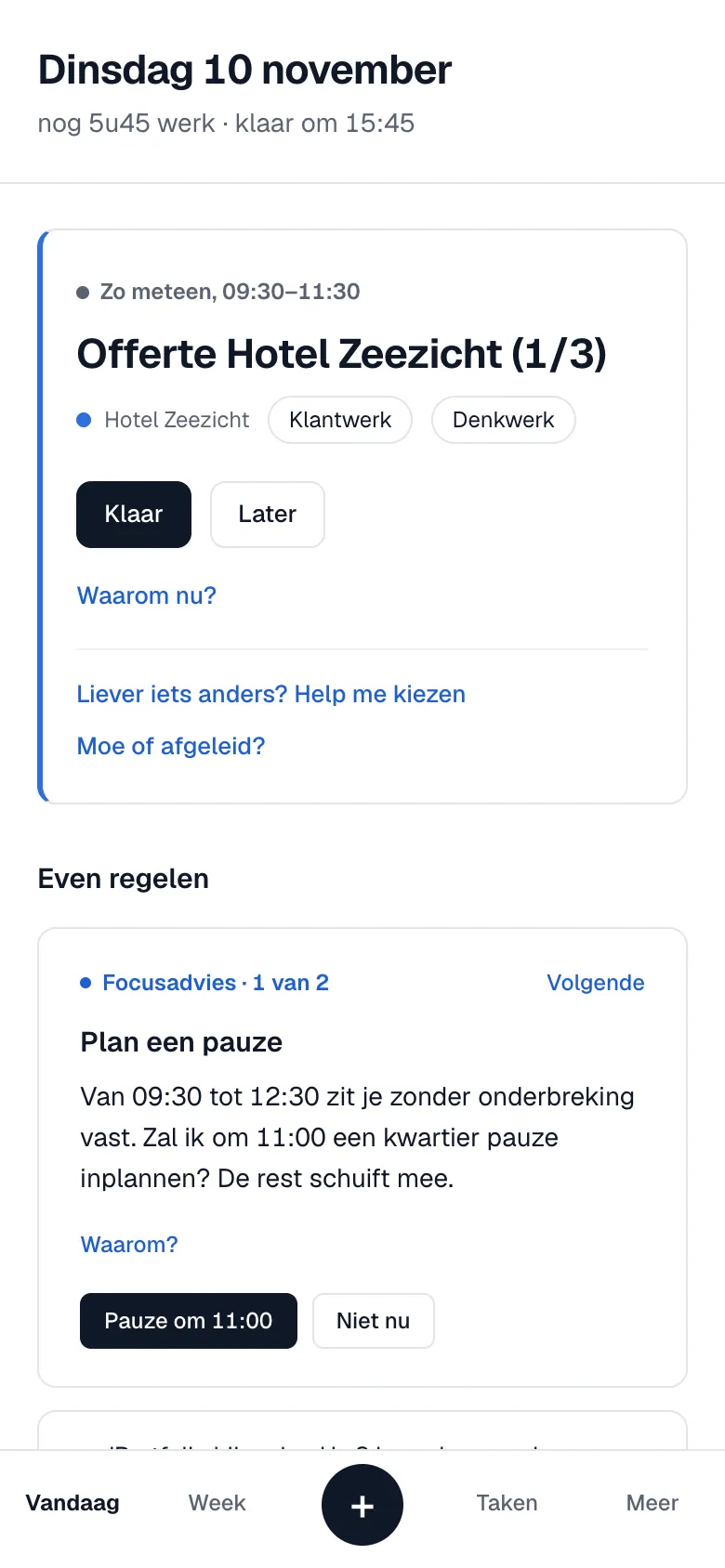
Your day is ready: what's up now, what comes next and why. No more picking from a long list yourself.
Work lands in your week on time for the deadline, with thirty percent slack, so overruns don't eat your evening.
Per client you see what has been used and scheduled, before a retainer runs over rather than after.
Say your points after a meeting. Tasks get a slot straight away, the rest becomes a note on the client.
First you type it, just as a sentence.
Then diddle estimates how long it takes.
Next it gets a spot in your week.
And if something runs over, the rest moves along.
In the morning, because it's deep work. Done two days before the deadline.
Done on Thursday
The rest of your week moved by fifteen minutes. diddle will estimate the next proposal shorter.
Real screens from the app, with sample clients. The app itself is in Dutch for now.


For each client you see how many hours were used and planned this month, next to the monthly hours or the project budget.
| Client | Used | Planned |
|---|---|---|
| Milius BV | 9.5 of 12 hours | |
| Bakkerij Jansen | 4 of 6 hours | |
| Hotel Zeezicht | 31 of 40 hours | |
| Studio Noord | 3 of 20 hours |
Hotel Zeezicht: budget used up if everything goes to plan.
Invoices, reports and the Dutch VAT return come back by themselves, in time for the deadline. Dutch public holidays are skipped.
Say how you're doing. Tired, and diddle swaps heavy and light work. In the flow, and it moves a small task out of the way.
Do the emails and invoices first, 45 minutes. The ads audit for Milius BV moves to 11:15, when you're sharp again.
Not sure where to start? You get three options side by side. Pick one and begin; the rest moves along.
Upload a signed proposal. diddle reads the parts and hours, asks only what's missing and spreads the project over your weeks.
With 12 hours a week, done on 11 December, a week before delivery.
Add sport and other fixed things. They get a spot first, and every week you see whether work and private life are in balance.
Running Tue, Thu and Sat at 7:00. Wednesday rest.
Add a task or change how you like to work. The week is rearranged straight away, with the same rules as in the app.
Seen enough? Start your own week in the app.
For anyone who works for several clients and wants to keep an eye on their own week.
You are your own planner, account manager and bookkeeper. diddle tracks client hours and deadlines so you can get on with the work.
Retainers with fixed hours, projects from proposals and meetings that run over. diddle shows what really fits this week.
Reports, campaign checks and audits that come back every week or month. diddle puts them in your week on time.
diddle started as the personal planner of an online marketer with six clients at once: retainers, campaigns, monthly reports and the quarterly VAT return. No planner took that into account, so this one was built. Every feature runs in that real week for a while before it ships.
You use everything without paying. After that a free plan stays, and Pro costs €9 a month.
How we read these tools in October 2026, based on their own websites and recent reviews. If something is no longer right, let us know.
A week has a rhythm: five days, mornings for deep work, afternoons for meetings, Friday to wrap up. diddle keeps that rhythm, even when something comes up.
What does diddle cost? diddle is free during the beta. After that there will be a monthly subscription. If you start now, you'll hear the price well in advance and can always take your data with you.
Does diddle touch my Google Calendar? No. diddle only reads your appointments. It puts its own blocks in a separate calendar, Planning, which you can switch on and off. Your main calendar never changes.
How does it know how long things take? From the type of task and your own completed tasks: if your proposals keep taking less time than estimated, diddle estimates the next one shorter. If you give a duration yourself, that one counts.
What if my day goes differently? Mark a block as done when it's finished, or say it's running over. diddle replans the rest of your week, and fixed deadlines come first.
Does diddle use AI? To recognise a task in a sentence and to read a proposal. The planning itself follows fixed rules you can read for every block: why it's there and what was moved for it.
Where is my data stored? In a database in Frankfurt, inside the EU. You can export everything as one file and delete your account with all its data yourself.
Does it work for a whole team? For now diddle is for one person with their own clients. Planning as a team, with shared clients and tasks, is on the list.
Does it work on my phone? Yes, in the browser. You see your day, mark blocks as done and quickly add a task.
You start with a sample week. Sign in with Google or with a link in your email, and you pay nothing during the beta. The app itself is in Dutch for now.